Getting to know the
user and end-user
User research: summary
A primary user group identified through research was children from 5 to
10 years old suffering from food allergies and having trouble learning
about what they can or can’t eat. This user group confirmed initial
assumptions about Tummy’s end-users, but research also revealed that
these children were frustrated with the lack of tools to learn in a fun
way and that doesn’t require them to read.
A secondary user group was very busy parents with full time jobs
that doesn’t have the time to learn about nutrition and to tailor
nutritional diets for each family member. This group was worried
about children getting sick and not being able to track what kids
eat at all times.
User’s (parents)
pain points
Time
Busy full time working parents have little free time to learn and
teach their kids about nutrition.
Distrust
Parents feel insecure when letting kids use their phones without
supervision.
End-user’s
(children) pain points
Learning
Children feel annoyed when having to read about nutrition. They need
more friendly and fun ways to learn.
Imagery
Kids are often confused about learning platforms with unclear
imagery.
Meet the End-user
End-user problem
statement
“Mom, my tummy hurts again, I don’t think I will be able to play
soccer today!”
Goals
- Learn what to eat in order to feel healthy.
- Find a meal that replaces sweets.
Frustrations
- Feeling sick before a tournament.
- Trouble finding tasty healthy food.
Nachi is a 6 years old with a milk protein allergy who needs a fun and friendly way to learn what he can or cannot eat because he is a sports enthusiastic and needs to feel good every day.
Ignacio is a 6 years old boy who was born with a milk protein
allergy. He goes to school every day from 8 am to 4 pm. In the
afternoons he plays soccer 3 times a week and practices karate 2
times a week. He needs a lot of extra energy but due to his allergy
he cannot consume any food. He feels frustrated when he eats
something that makes him sick. He still does not know how to
distinguish which food is good for him and which is harmful.
Meet the User

User problem
statement
“I need a 48 hours day!”
Goals
- Getting help with her son’s nutrition education.
- Having time for her own heath.
Frustrations
- School that doesn’t teach about healthy food.
- Trouble finding time to teach her son about healthy habits.
Andrea is a 42 years old mom working full-time who needs a way to give her son an education in healthy food because she can’t supervise what the child eats at school and doesn’t have time to teach him about nutrition.
Andrea is a 45 years old industrial engineer working full-time for a
multinational company. She is married to Luciano, a very busy
lawyer. They have three children under the age of 8. Andrea does not
have time to shop for food, cook, work and exercise so for her
children’s lunch she hires the catering service at school. The
school knows that Ignacio is allergic to milk protein and he has a
specific diet, but sometimes he eats sweets during recess that make
him very ill. Andrea needs a way to make her son aware of the food
he cannot eat so adults don’t need to supervise him al all times.
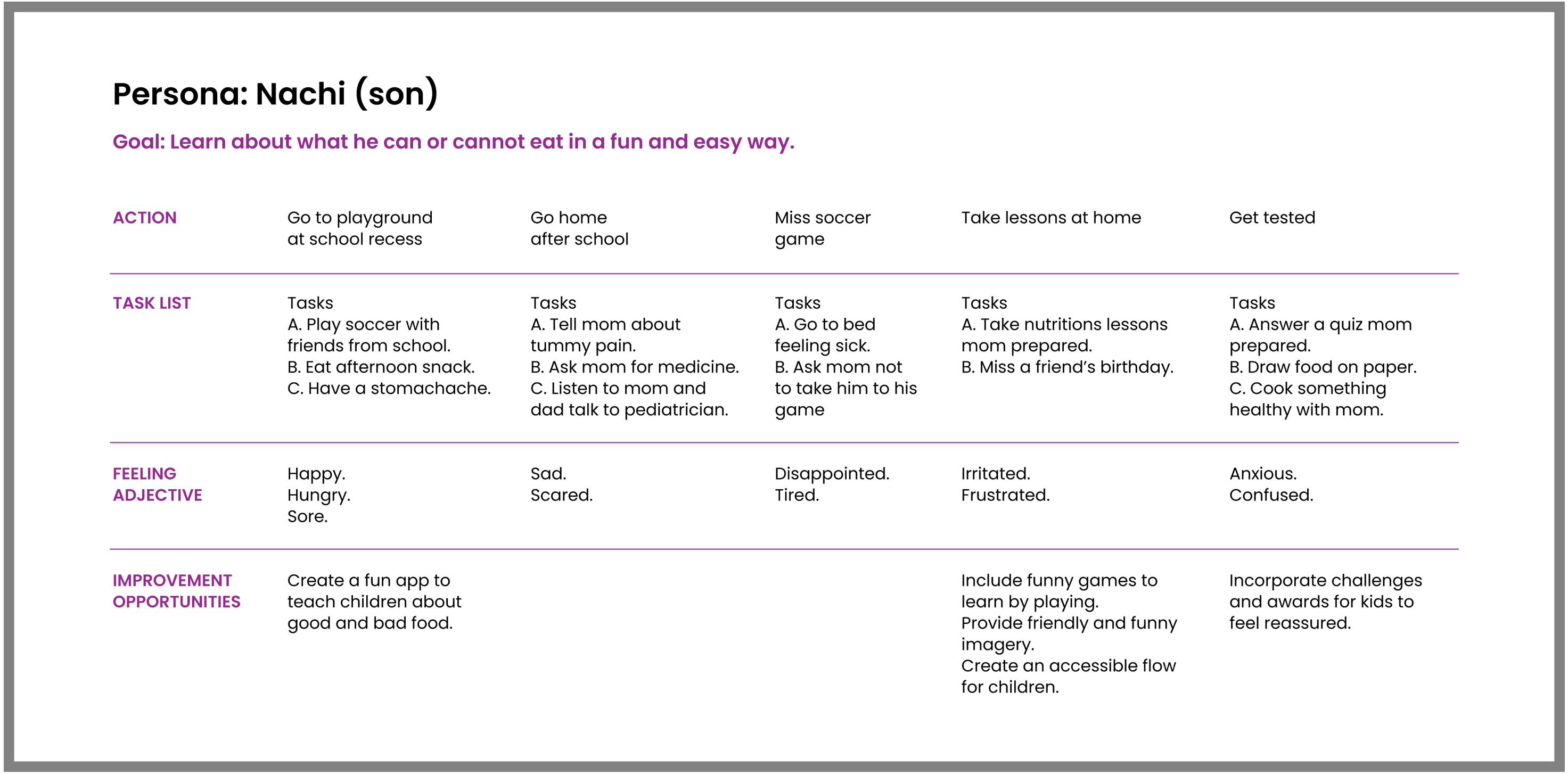
End-user Journey Map
Mapping Nachi’s user journey revealed how easy and friendly it would
be for Tummy’s kids users to learn while playing games.
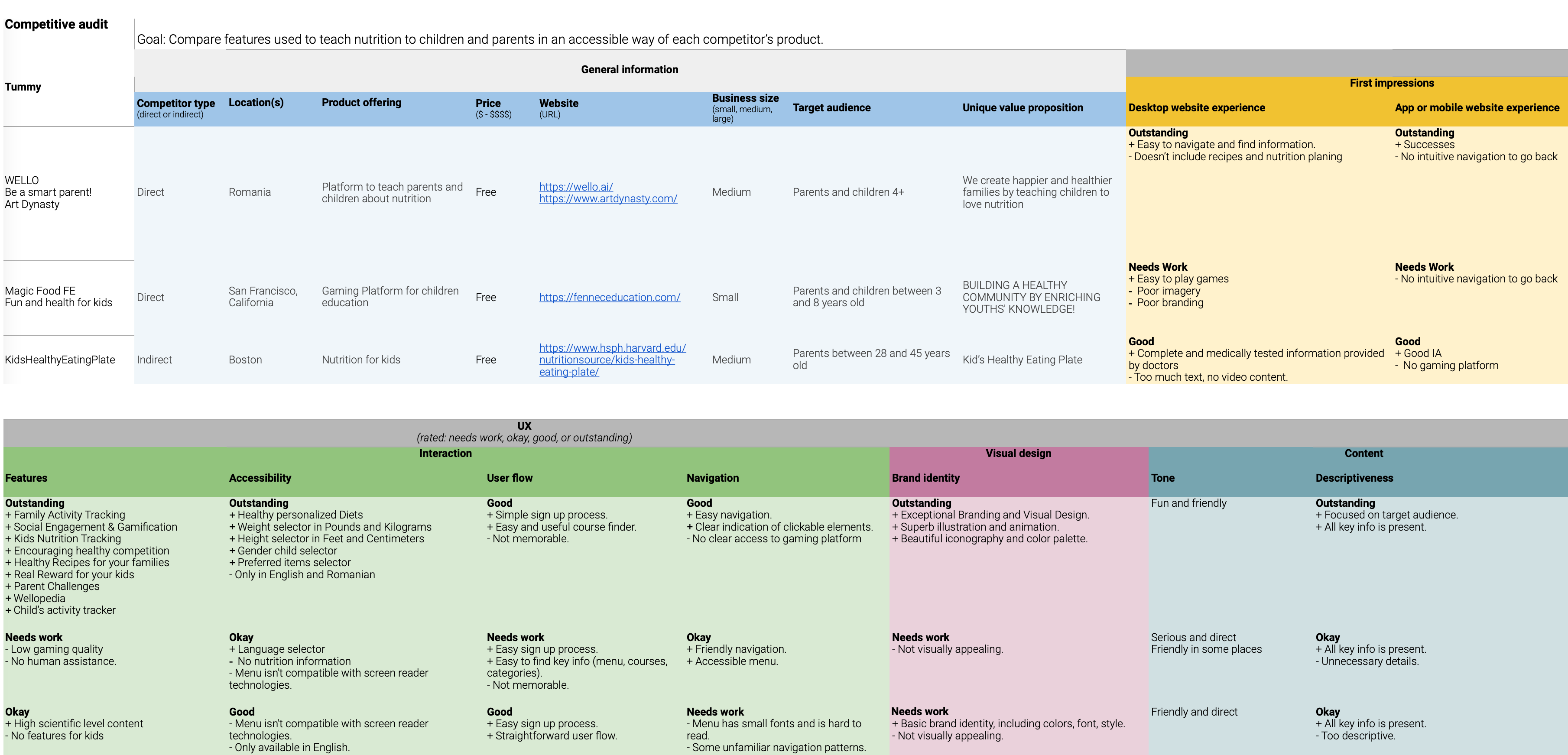
Competitive Audit
An audit of a few competitor’s products provided directions on gaps
and opportunities to address with the nutrition cross platform.
Ideation
I did a quick ideation exercise to come up with ideas for how to
address gaps identified in the competitive audit. My focus was
specially on creating a family member’s profile, a nutrition plan
and a gaming platform.
Start the design
Digital wireframes
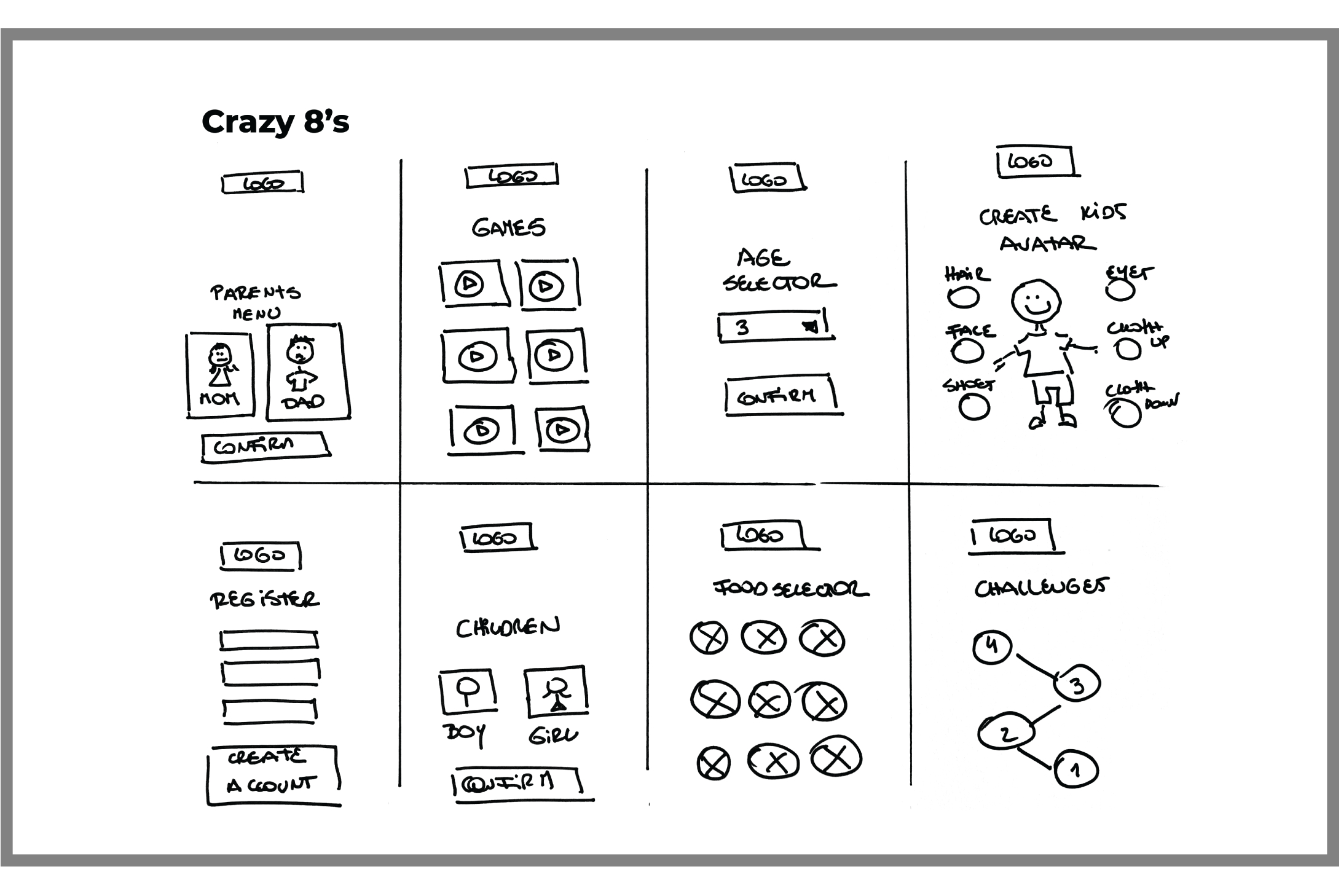
During the initial design phase my first concern were end-users
(children). My goal was to provide them with a very simple easy tu
use games learning platform. After ideating and drafting some paper
wireframes, I worked on the initial designs for the cross platform.
These designs focused on creating a child’s profile, an avatar and
accessing the gaming platform.
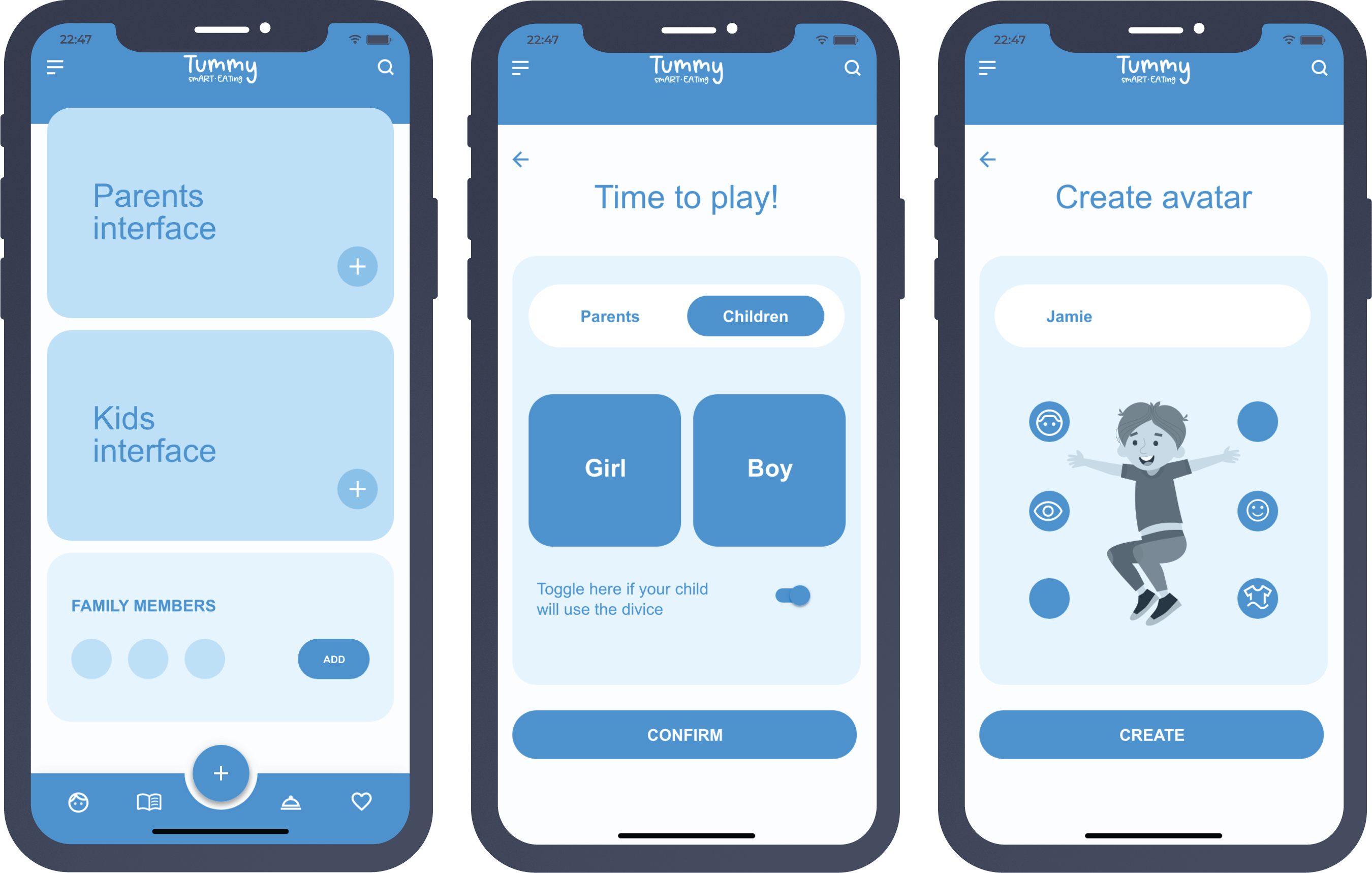
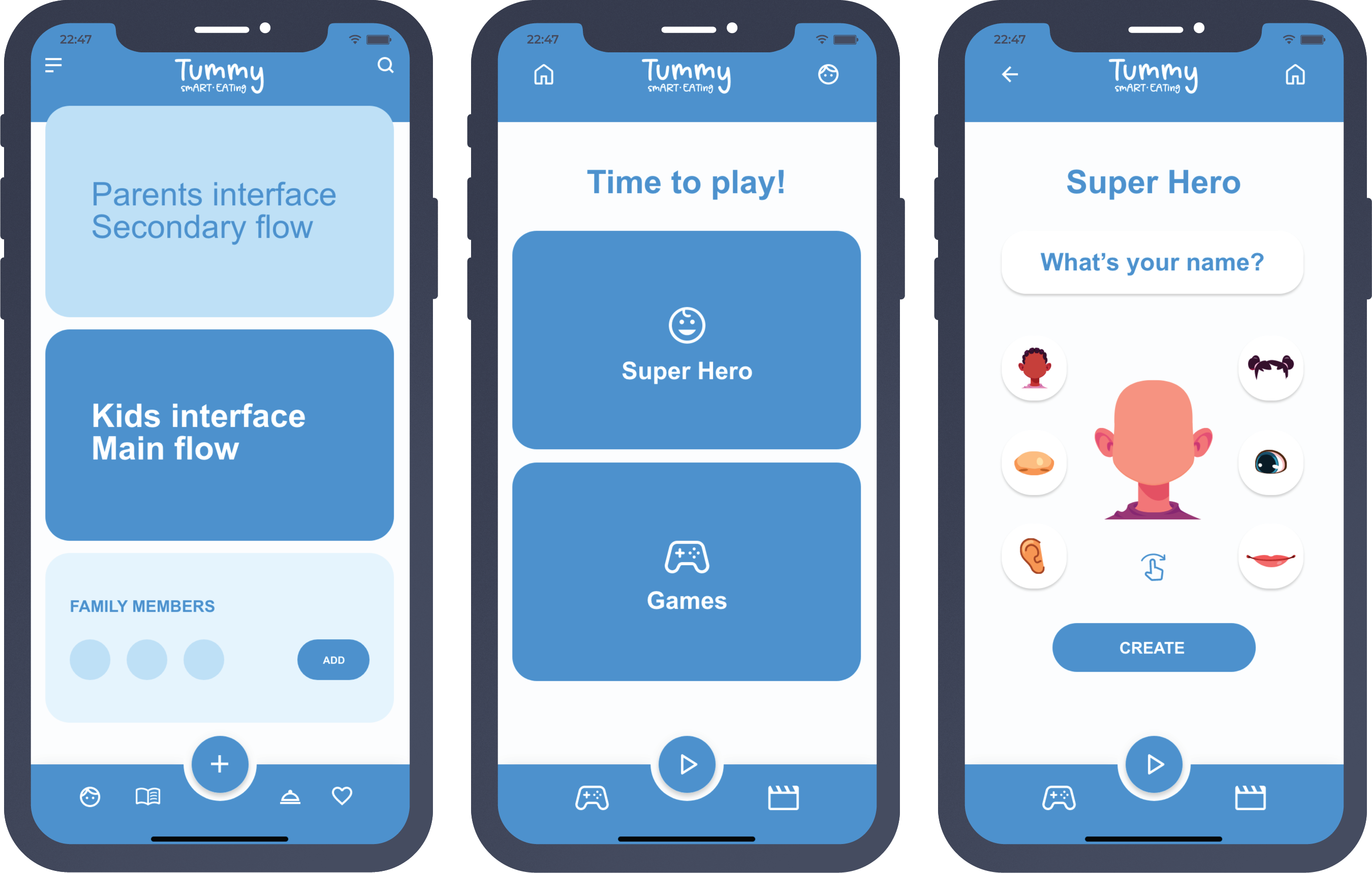
Prototype #1
Prototype #2
Low-fidelity prototype
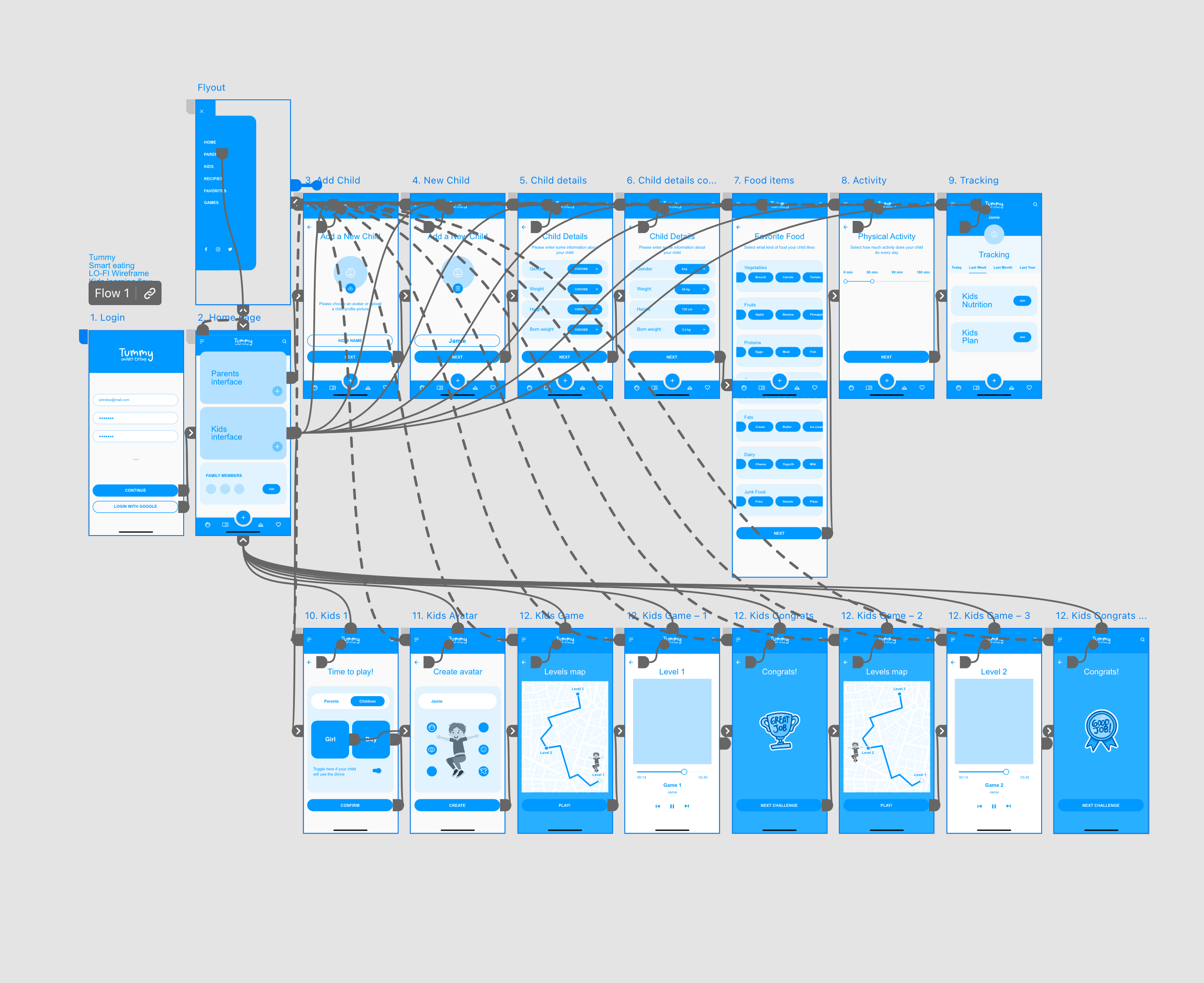
Before running the first usability study, I created a low-fidelity
prototype that allowed children choose very limited aspects of their
profile, create an avatar and access a simple map of games with
awards for winners.
 LO-FI
LO-FI
Usability study
findings
Findings from usability study revealed what
aspects of the mockups needed refining.
Gaming
Users need better cues for accessing games section.
Children’s
Profile
Delete gender selection as it is inequitable.
Avatar
Develop a more friendly and easy way to create an avatar.
Refining the Design
After the first usability study, early designs required iteration
such as a feature to “Toggle for child use only”. There was no need
to make big changes in the home page mockup since both users and
end-users found it easy to use.
Mockups
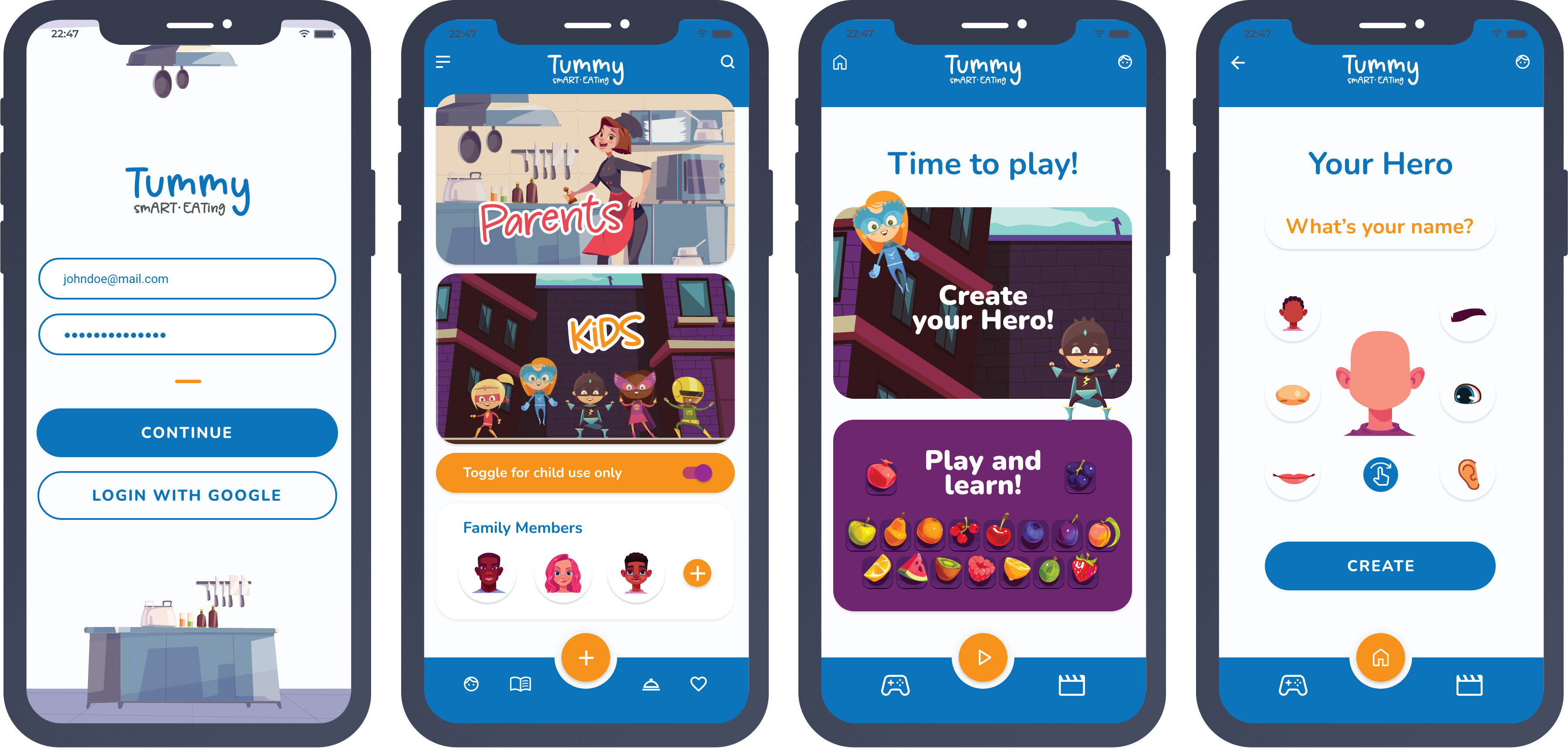
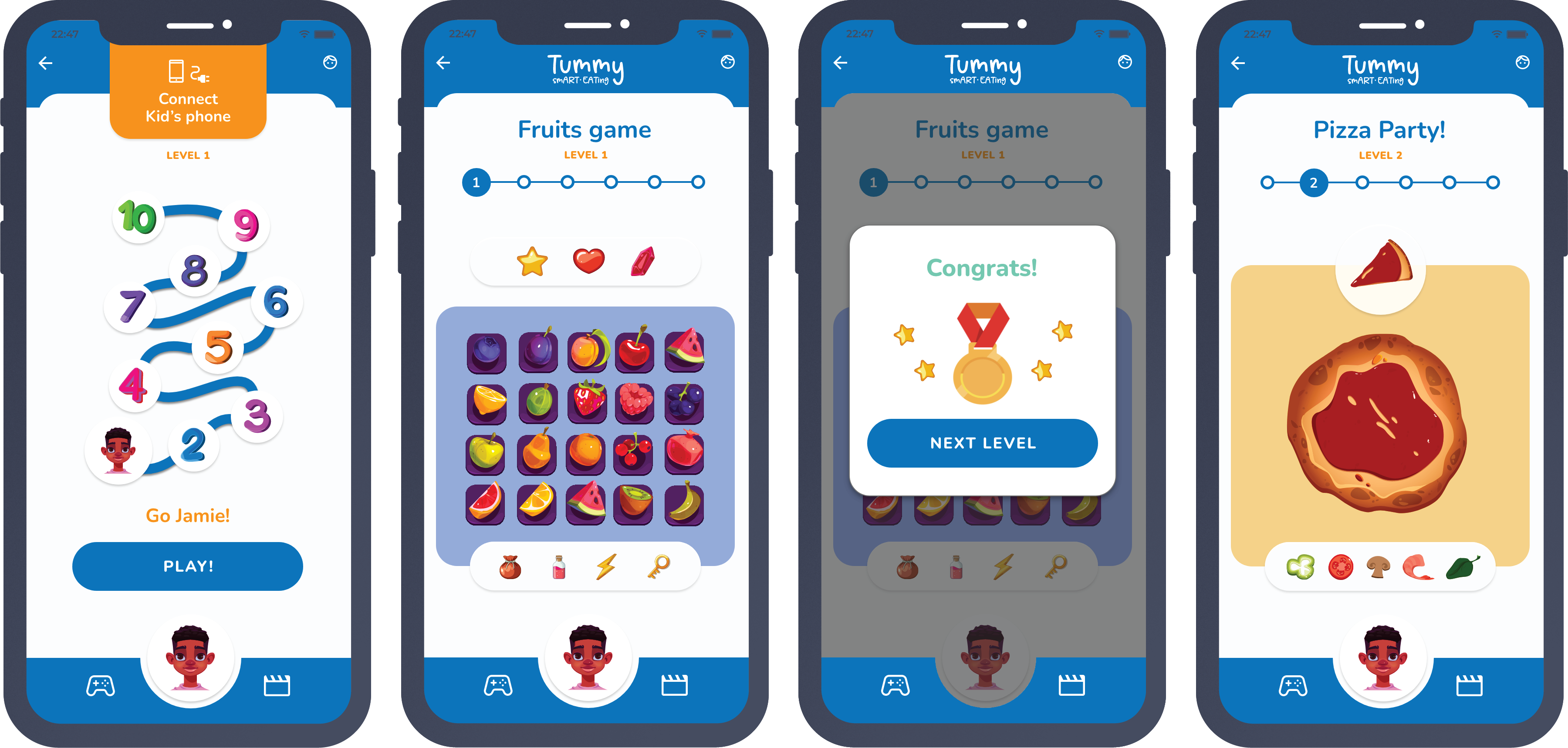
High-fidelity prototypes
The final high-fidelity prototype presented a completed and polished
user flow for accessing gaming platform. It also met adult user
needs for creating family members profiles and personalized healthy
plans.
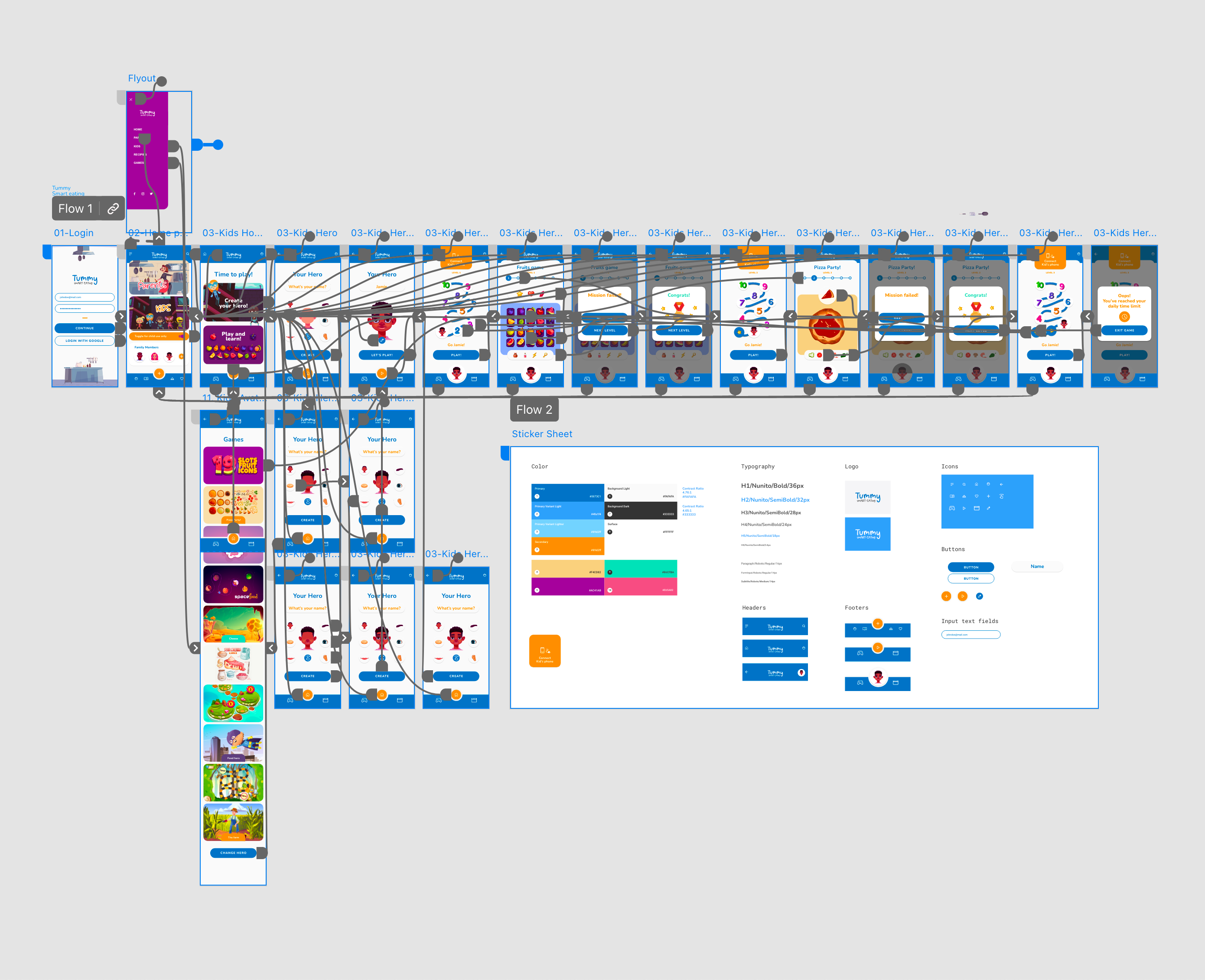 HI-FI
HI-FI
Accessibility considerations
HI-contrast color palette for visually impaired users.
Contrast Ratio: 4.76:1
Clear
differentiation between parent’s and children’s interface that
allows easy navigation.
Child
friendly iconography with minimum elements to keep navigation
simple.
Responsive Design
Site Map
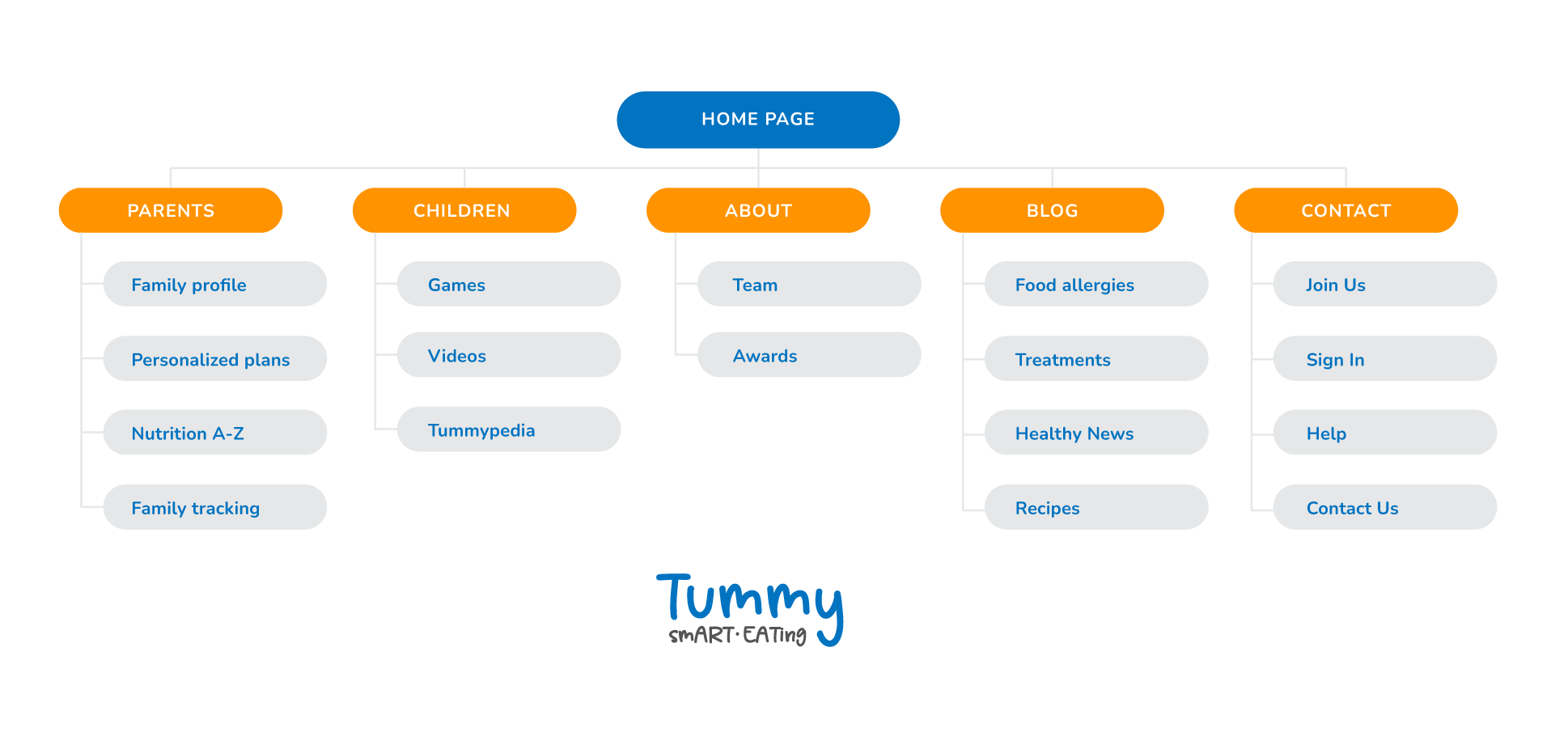
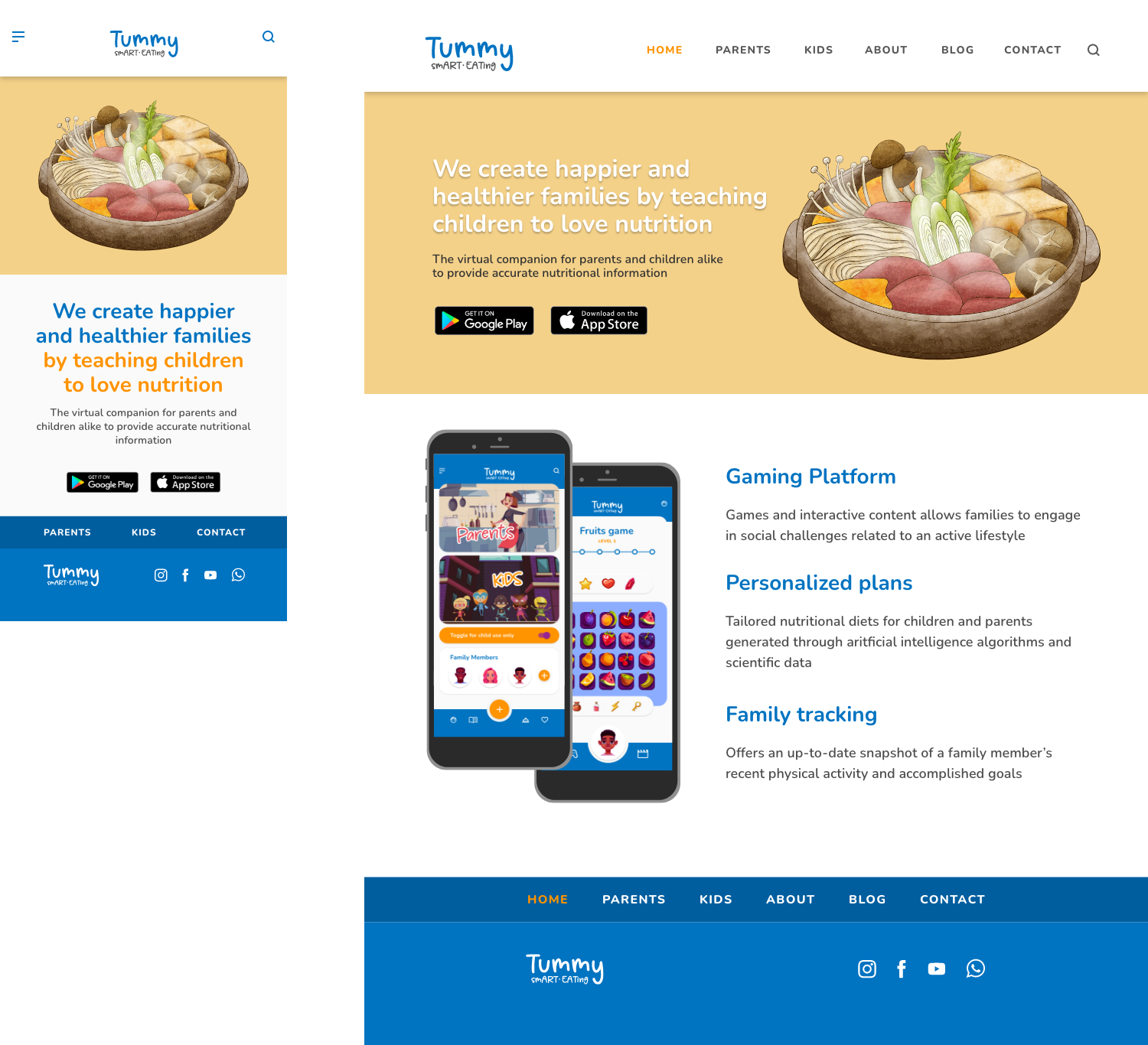
With the app designs completed, I started working on designing the
responsive website. My goal was to make strategic information
architecture decisions that would help users and end-users find
information through categories. I used the Tummy Smart Eating
sitemap to guide the organizational structure of each screen’s
design to ensure a cohesive and consistent experience across
platforms for both kids and adults.
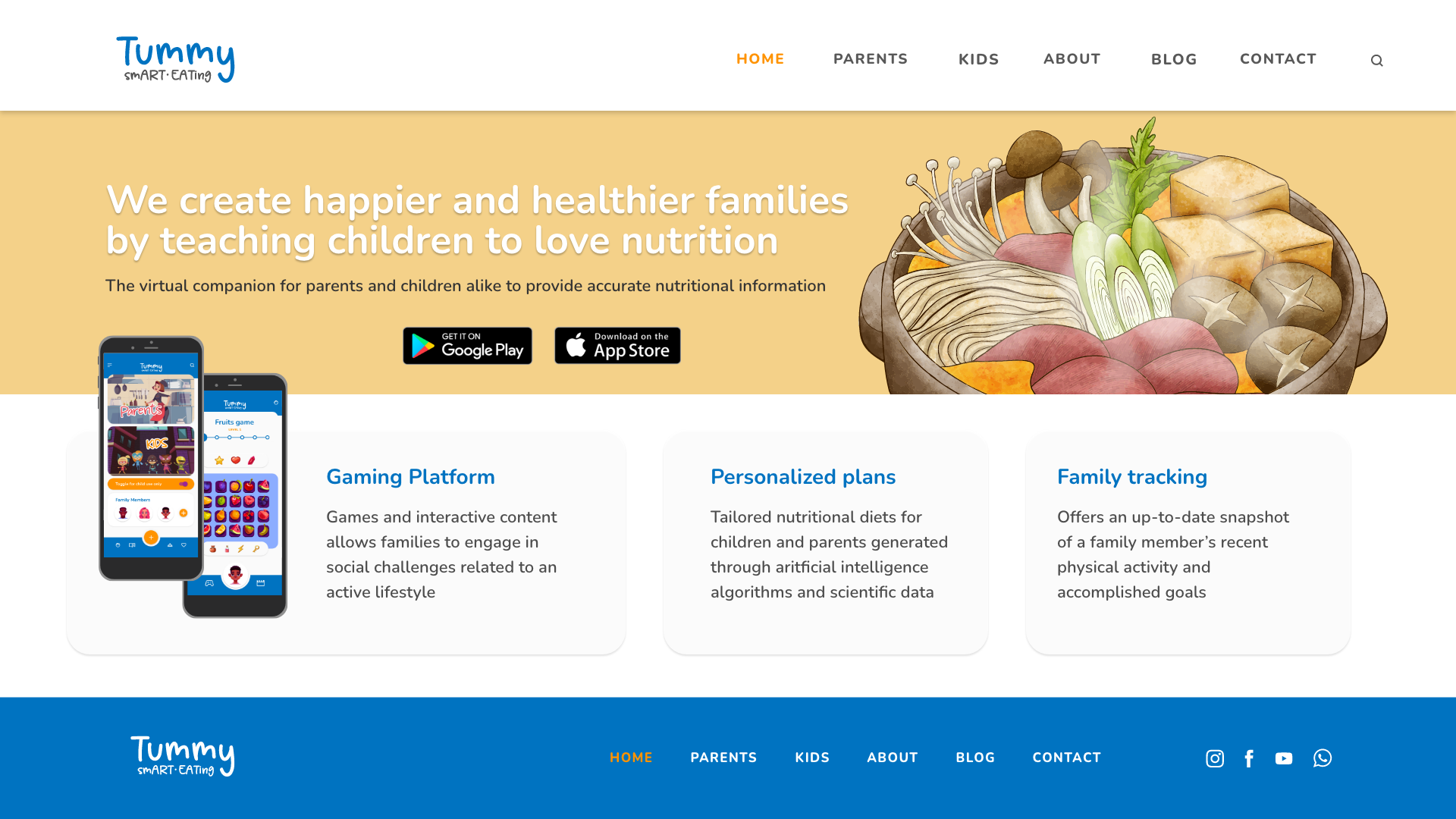
Responsive web site versions
Mobile, Tablet and Desktop
Takeaways
Impact
Project goal was achieved. In the 2º Usability Study every
participant was able to access gaming platform and complete up to 3
Levels included in the HI-FI prototyping phase.
Quote form Participant Nº 4:
“I can’t wait to play with friends at school!”.
What I learned
I learned that it is very interesting to test prototypes with kids
since they are not afraid to heart anybody’s feelings. Their
feedback is precise and so much fun! During this learning process I
always kept children front and center, by doing so I got very
interesting insights.